Latest Updates to Riverscapes Data Exchange Platform

Published on June 11, 2025

New Features & Improvements Now Live on the Data Exchange

The Riverscapes Data Exchange was recently updated with new functionality features. Log in here to explore.


Major Data Exchange Updates

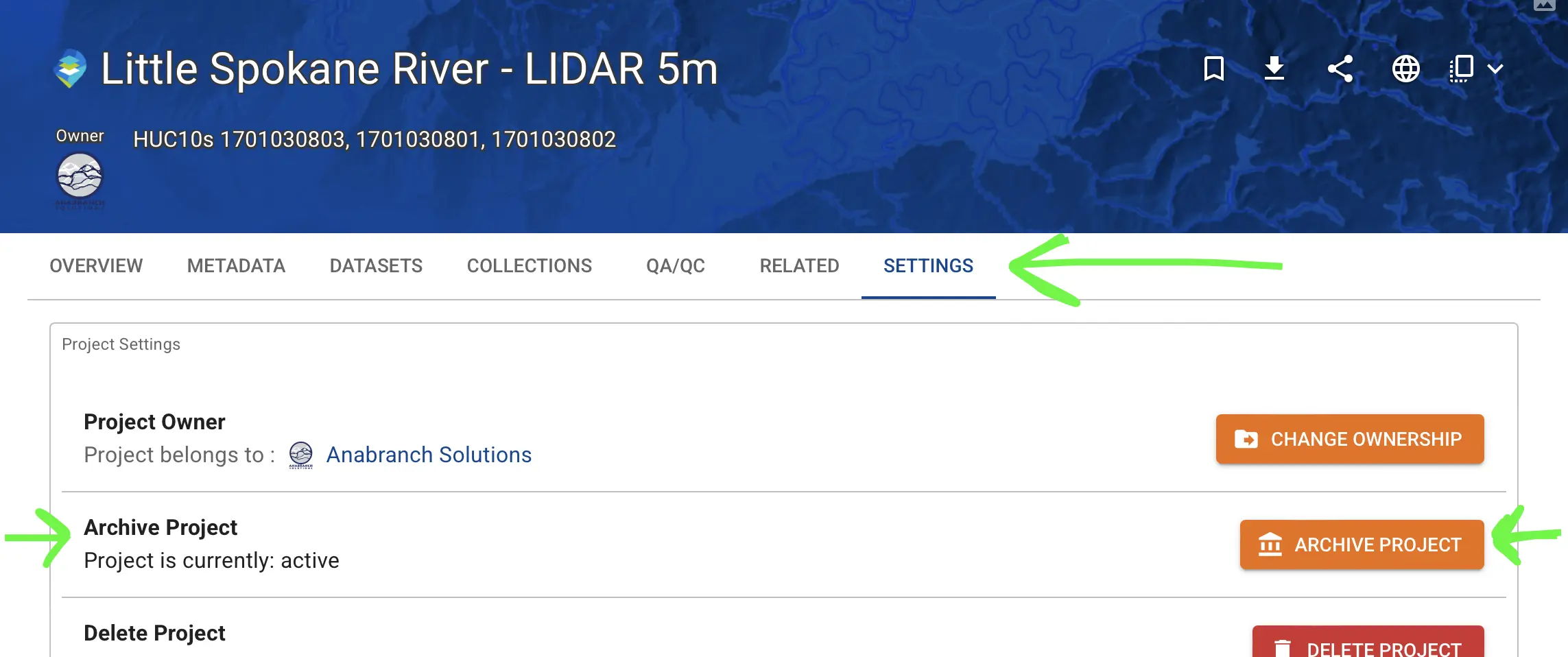
Archive Projects

You can now archive outdated or duplicate projects. They'll still be accessible for legacy reference, but won't clutter your Data Exchange experience. The search pages have options to show or hide archived projects.


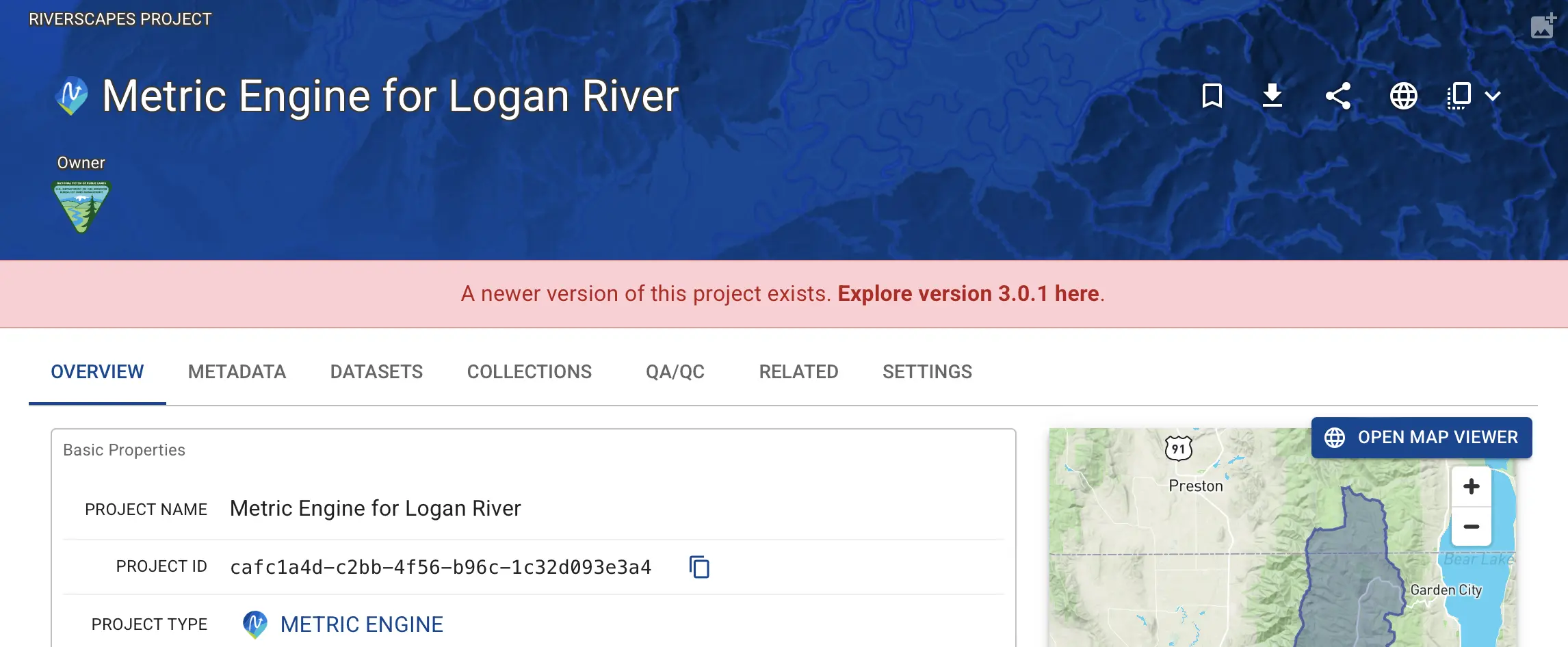
Newer Project Available Notification

When viewing an older version of a project, you'll now see a notification linking to the newest version.


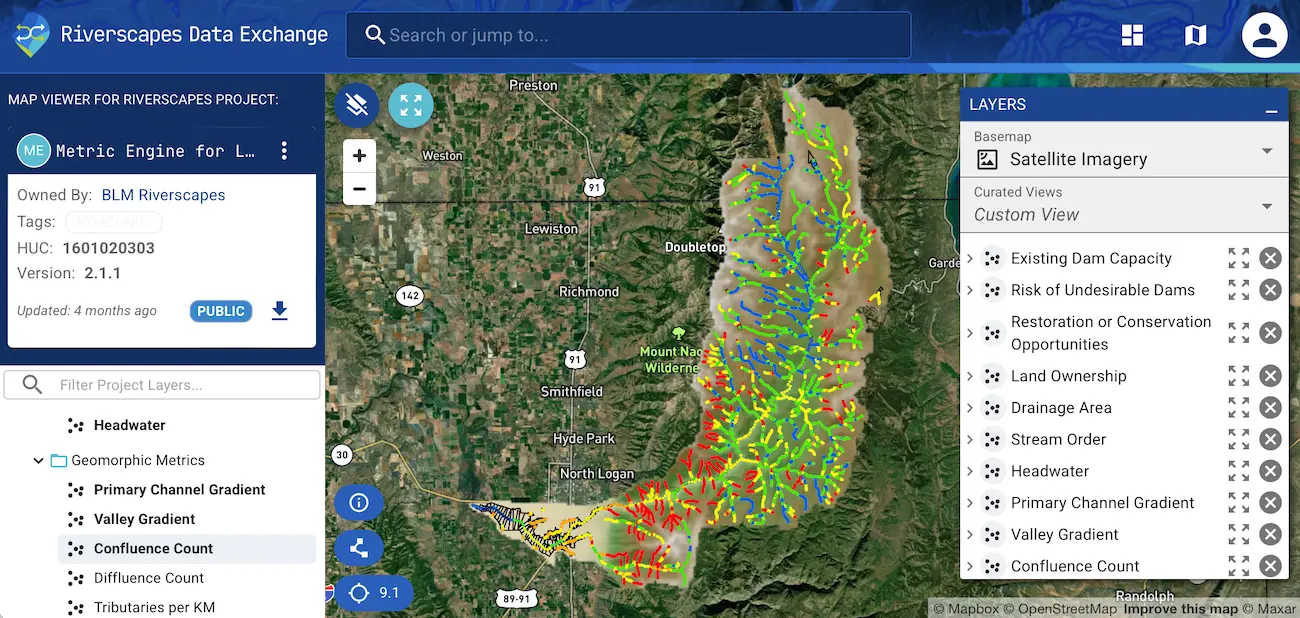
View More Map Layers

The map viewer now supports viewing up to 20 layers at once (up from 5).


Hover to Identify Projects

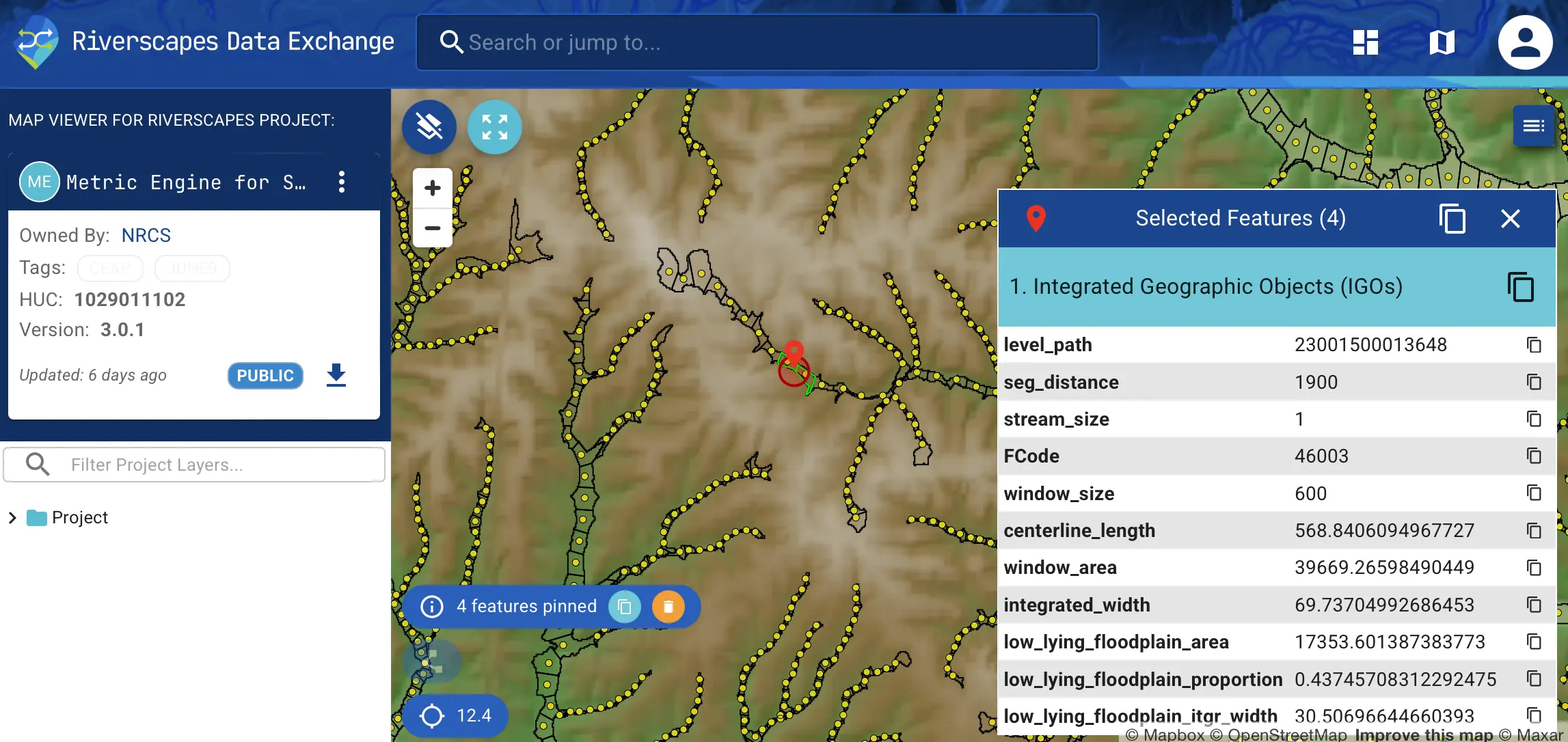
In the map viewer, you can toggle to identify features on hover and click to pin their attributes on the screen. A copy button allows you to easily take the attributes and use them in other applications.


Related Projects Tab

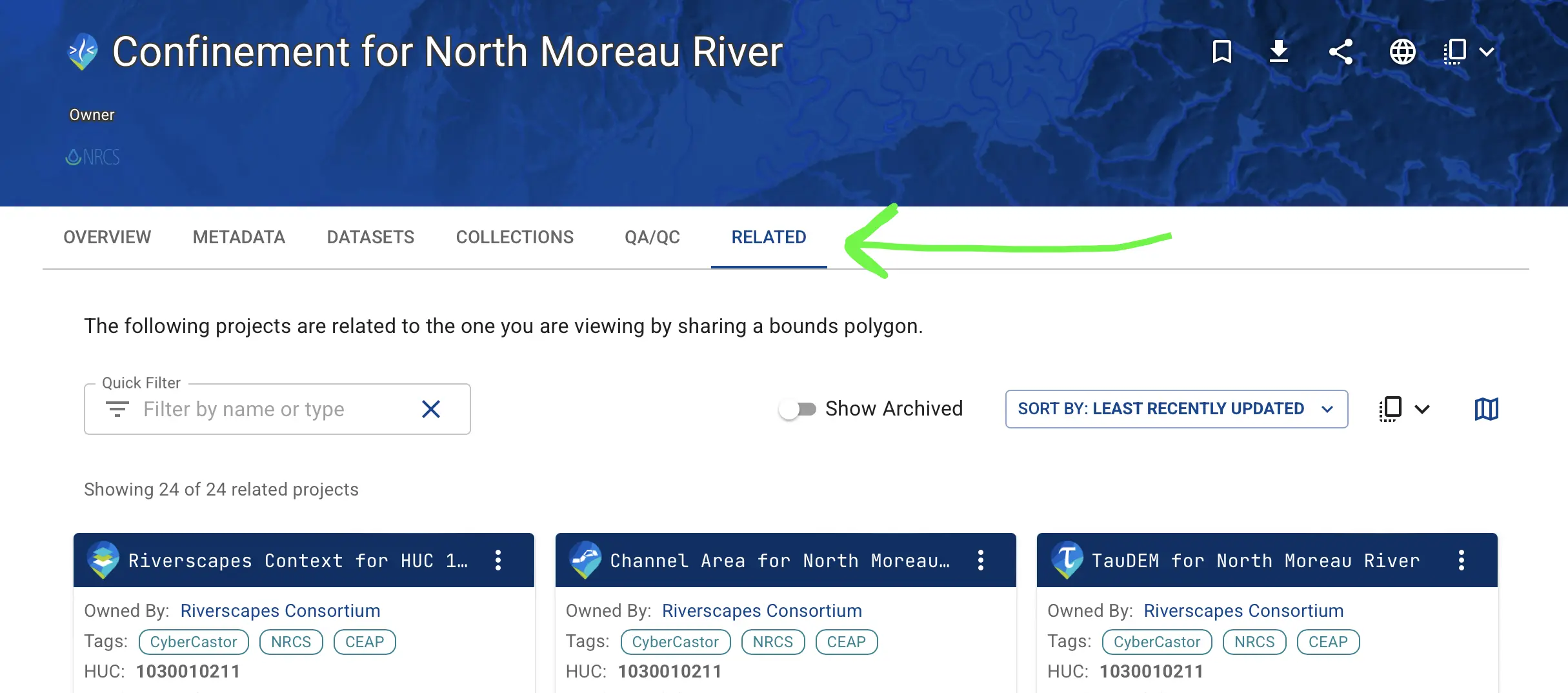
Each project now includes a "Related Projects" tab showing other projects within the same geographic bounds (typically the same HUC). This makes it much quicker to jump between related projects of the same area.


Measure in the Map Viewer

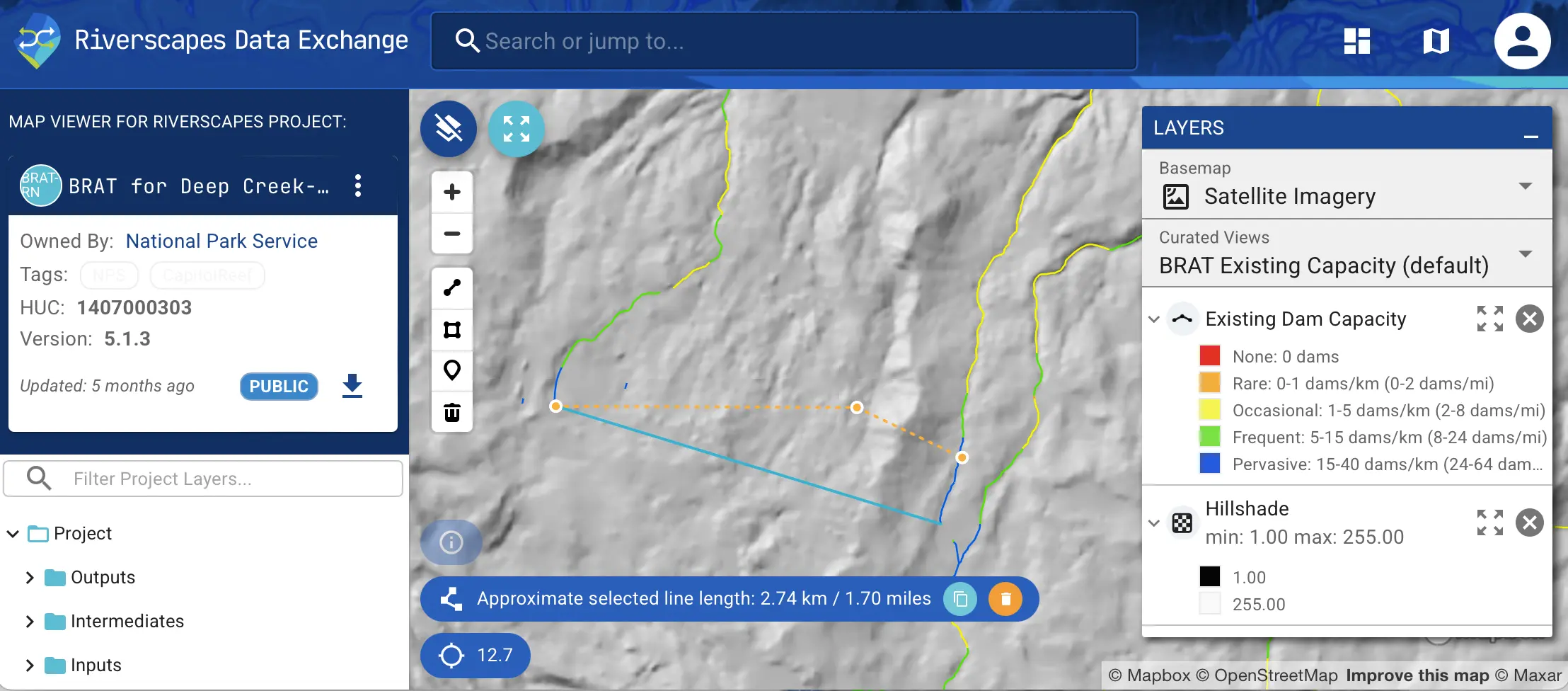
Draw lines and polygons in the map viewer to measure distances and areas. This helps assess restoration scope or estimate travel paths.


Minor Data Exchange Updates

Thematic Refinements

We aligned fonts and colors across the platform for a more cohesive experience. 

Project Card Updates

Project cards are cleaned up to highlight the most relevant information. 

Copy Buttons

We’ve added more convenient copy buttons across the platform, making it easier to grab and use data. 

Tabular Search Results

A new tabular search results view exists to complement the existing map and card views. It’s an excellent way to see more results on the screen in a succinct layout.


These updates are part of our ongoing mission to make riverscapes data more accessible and useful, however you need to use it.


Contact our support team with any questions, feedback, or requests.