
Features & Functionality on the New PBR Explorer
Last week, we launched PBR Explorer, an upgraded reporting platform that supports all types and all stages of process-based restoration projects. New features and functionality make PBR Explorer a simple way to capture and share projects. Check out the highlights below.
Expanded Project Reporting Features
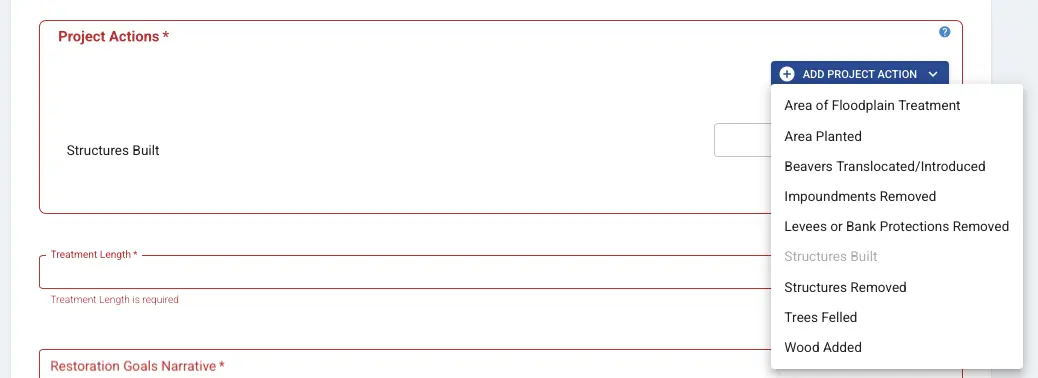
Project Actions
New project actions to support all types of process-based restoration. You can now report on:
- Area of Floodplain Treatment
- Area Planted
- Beavers Translocated/Introduced
- Impoundments Removed
- Levees or Bank Protections Removed
- Structures Built
- Structures Removed
- Trees Felled
- Wood Added
Project Timeline
Project progress fields now include date entries for all phases of process-based restoration projects, from proposal through implementation.
Budget Reporting
Specify the budget breakdown for a project, whether you're working in the reporting or pre-project phase.
Upload a Project Extent Polygon
Now you can include a project extent polygon on the project map, instead of just a point.
Save Draft Projects
Save as a draft before publishing a project. Drafts can be viewed and edited by anyone in your organization for better collaboration.
Track Your Overall Project Stats
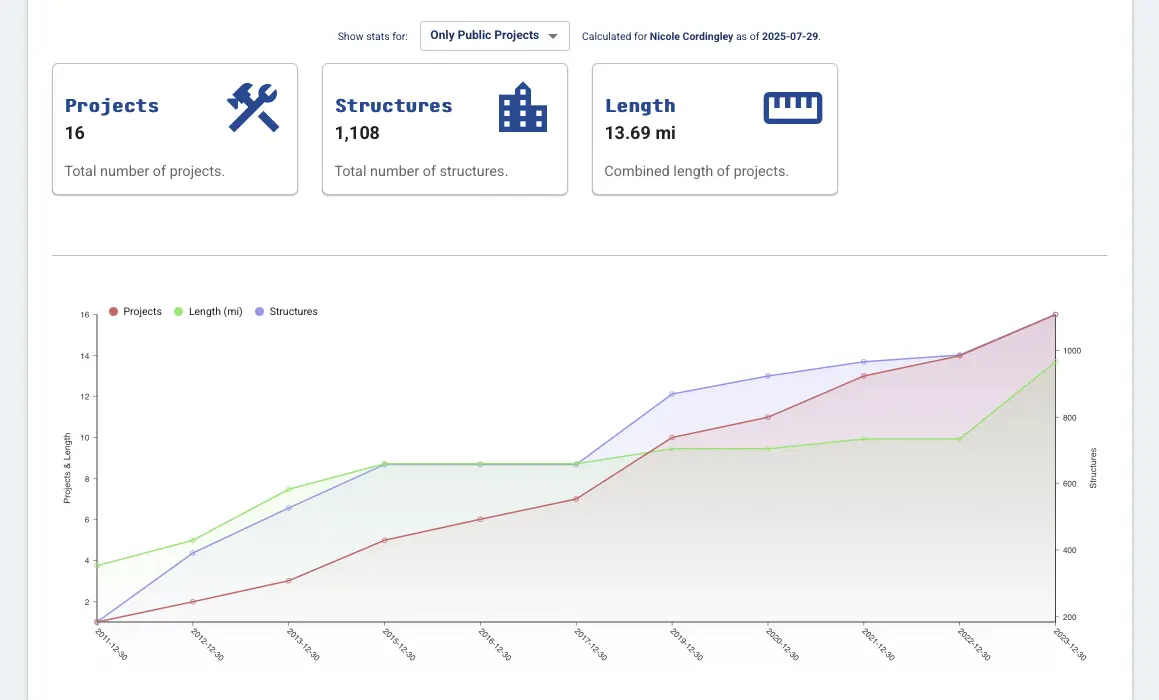
Data from your projects aggregates on your organization's page and regional pages. This makes it easy to track your effort, cumulatively and over time, and provides a presentable page to share.
Collaborate with Involved Organizations
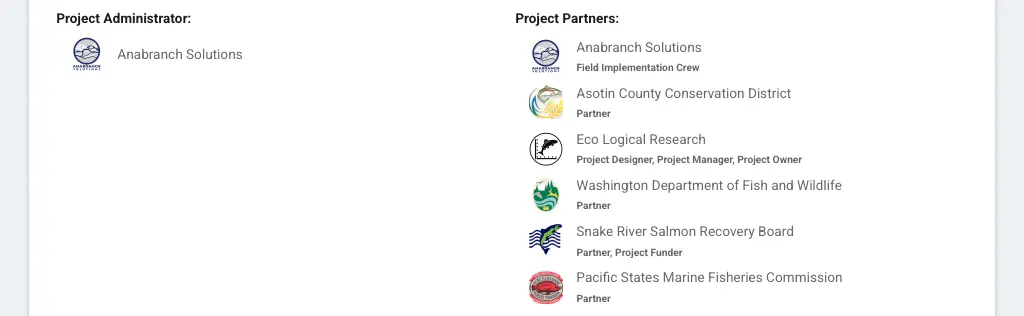
Easily include every organization who participated in a project. Designate their role, like field implementation crew or project funder. Every involved organization gets credit in their rolled up stats.
Private or Public Projects
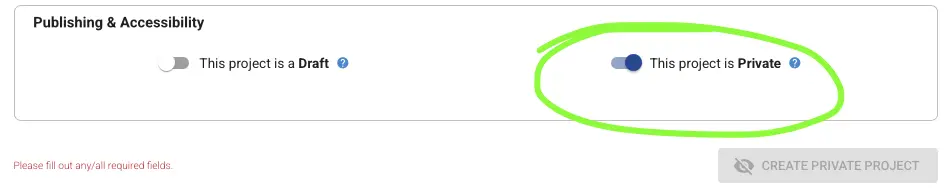
Now you can designate a project as Private, which makes it visible only to members of the owning organization. Data from private projects counts towards an organization or region's public-facing stats, without showing any individual project details publicly.
This means private work can still be reported on and shared internally, and your organization can still get public-facing credit for the work.
Public Sharing Made Easy
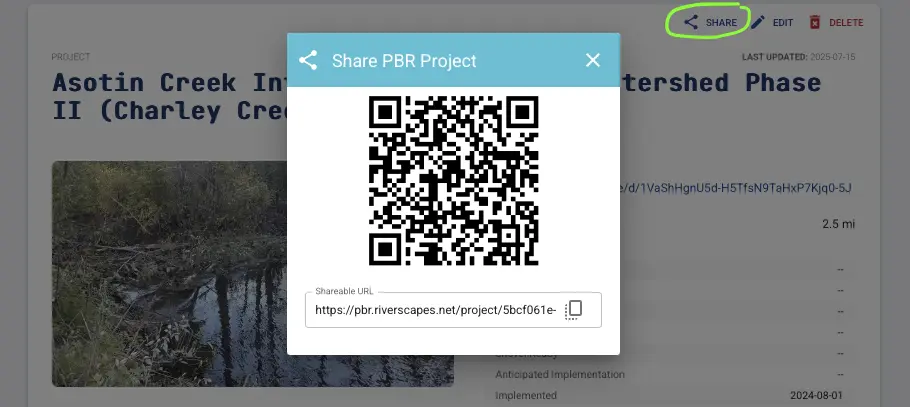
Click the share button on one of your projects to generate a QR code for the project page. Educate the public about your work and process-based restoration by including this QR code on signs around the project.
Use Your Data
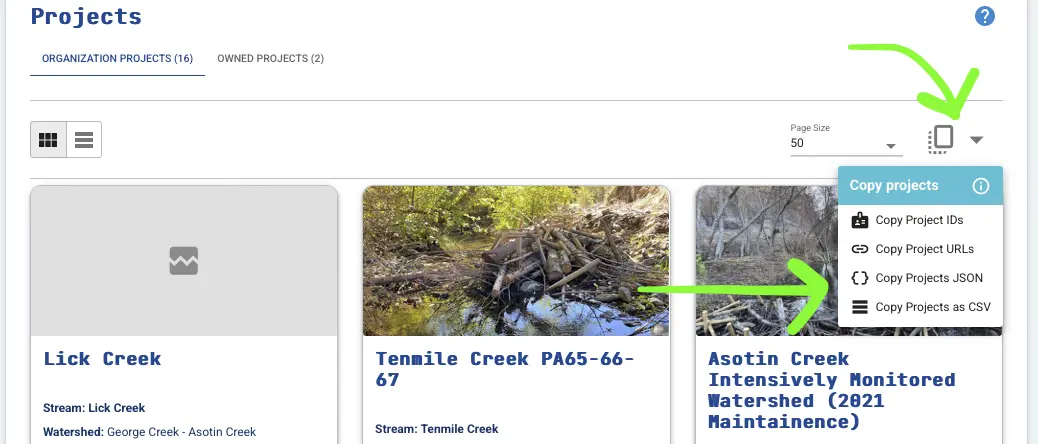
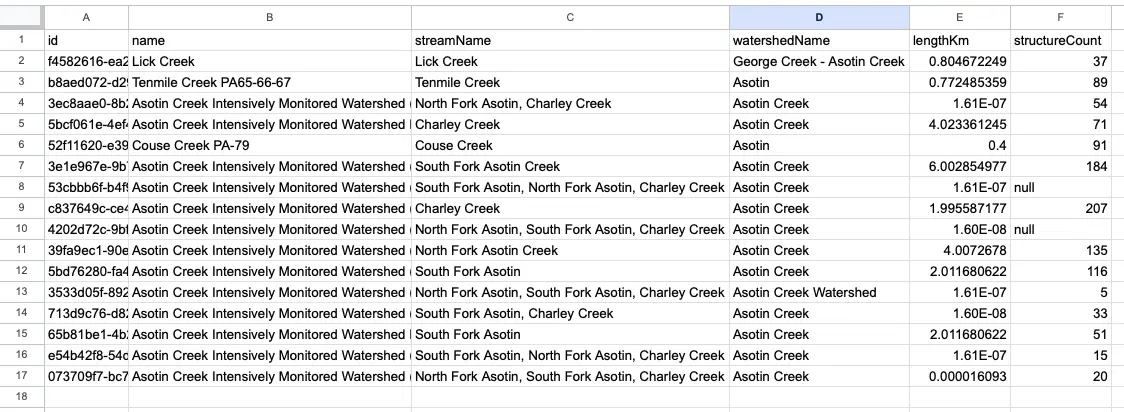
Copy all of your organization's projects as a dataset to use elsewhere. For example, you can copy as a CSV, open an Excel Sheet, hit paste, and split the text into columns to play with your project info and data.
|
|
|
|